Xiaoye Remote 2.0.82 Released: Two Devices Permanently Free
Tired of complicated network configurations for remote work? Or have you been trying out various solutions in search of a remote control tool that is both safe and free? Today, the new version of Xiaoye Remote Control might just be the answer you're looking for.
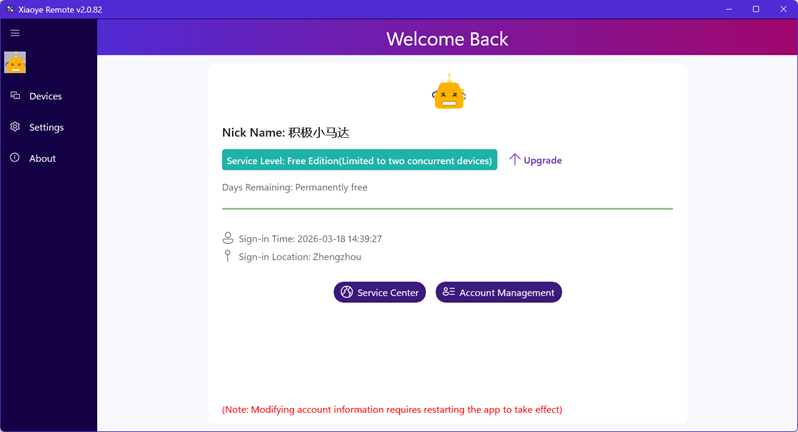
We are excited to announce the official release of Xiaoye Remote Control version 2.0.82! This update introduces an incredibly user-friendly policy: Two devices, permanently free. Whether you're providing technical support for a family computer or need seamless switching between two office locations, this free tier covers the daily needs of most individual users.
Why Choose Xiaoye Remote Control?
Building on its free model, Xiaoye Remote Control is committed to delivering excellence in both security and user experience.
1. Security, Designed from the Ground Up
-
Device Isolation by Account: Your devices are only visible to your own account, naturally protecting them from random scans and attacks originating from the public internet.
-
End-to-End Encryption: All remote connection data is encrypted with strong algorithms, ensuring your operations remain private even on public networks.
-
No Public IP Required: Say goodbye to complex port forwarding and network configurations, fundamentally reducing your exposure to cyber threats.
2. Performance, Built for Efficiency
-
Domestic Multi-Node Acceleration: We have deployed multiple network nodes within the country. The system automatically selects the optimal path for you, significantly reducing latency and making remote operations feel as smooth as local ones.
-
Native RDP Experience: With perfect support for the Windows Remote Desktop Protocol, Windows users can enjoy the most familiar and efficient native desktop access experience.
3. Convenience, One Account for All
-
Supports various login methods including email, WeChat, and phone number. You can also quickly log in using your existing Microsoft or GitHub accounts, eliminating the need for repeated registrations. One "Xiaoye Passport" manages all your remote devices and future services.
How to Get Started?
Experiencing Xiaoye Remote Control is simple, just three steps:
-
Visit the Xiaoye Remote Control official website (https://xiaoyeapp.com) to download the client.
-
Log in using your preferred method (email accounts require initial registration, while third-party options like WeChat allow direct login).
-
Log in to the same account on your two devices, and your permanently free remote journey begins!
Xiaoye Remote Control 2.0.82 aims to be your secure, high-speed, and simple remote desktop partner. Whether you're a remote professional or the "family IT consultant" helping relatives with their computers, you're welcome to give it a try.
If you encounter any issues during use, or have any suggestions, please feel free to provide feedback through our official channels. We are dedicated to serving you!