Like Managing Browser Tabs? Xiaoye Remote Makes It Happen!
No more repeatedly entering IDs and passwords—manage multiple remote devices as smoothly as switching Chrome tabs
Have you ever faced these frustrations?
-
Having to enter those long, unmemorable numeric IDs and passwords for every remote connection
-
Opening five or six remote windows, only to have them pile up in your taskbar, making it a nightmare to find the one you need
-
Craving a smooth 4K experience, but ending up with a slideshow and a clipboard that won't sync
If you frequently switch between multiple Windows devices, the product introduced today might just solve your problems.
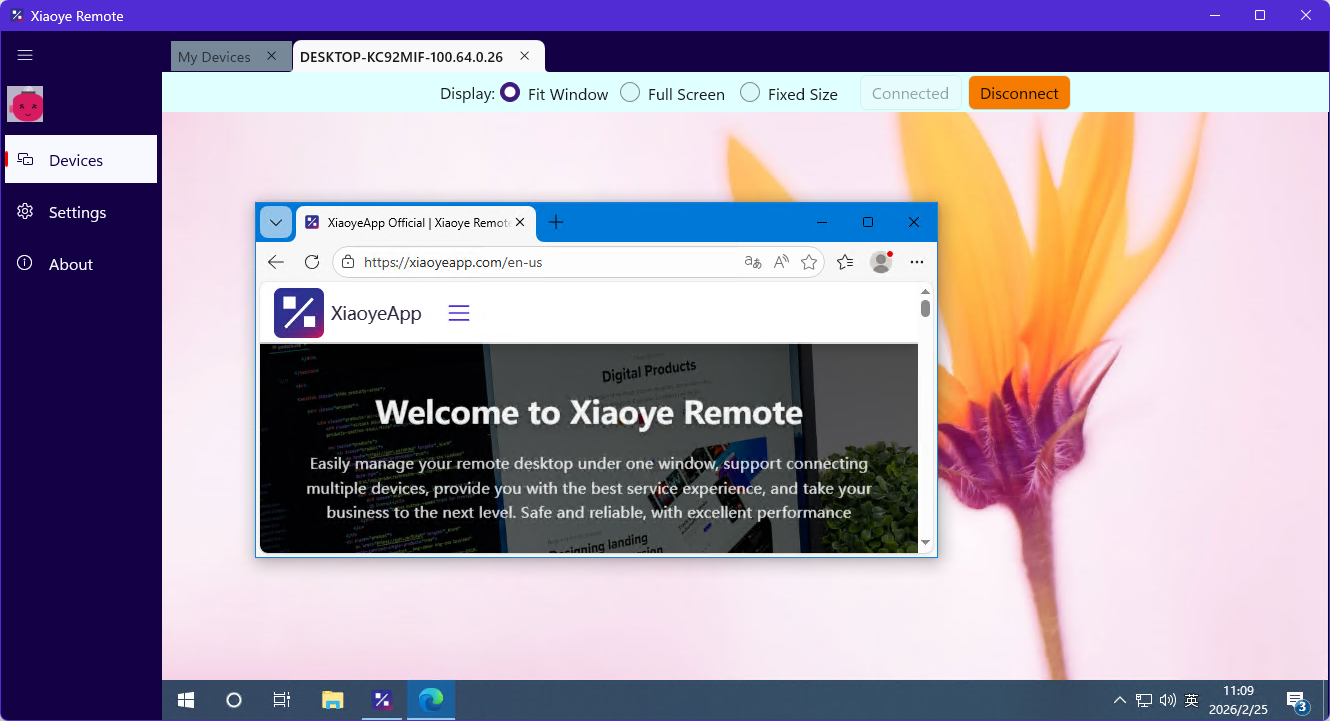
It Understands the Pain Points of Remote Tools
Common remote control tools on the market each have their own shortcomings:
TeamViewer/AnyDesk: Powerful, but requiring ID and password entry every time feels like we're back in the dial-up era. Commercial versions are getting increasingly expensive, while free versions come with more and more limitations.
Windows Native RDP: Excellent experience within the local area network, handling 4K high frame rates with ease. But once you're outside the public network, it's a different story—either laggy or simply unable to connect.
Chrome Remote Desktop: Simple and easy to use, but too basic in functionality. Managing multiple machines is mostly guesswork.
Is there a tool that can simultaneously offer: direct account-based connection, convenient multi-machine management, and a native RDP experience?
Xiaoye Remote provides the answer.
Three Core Features Redefining Remote Desktop
1. Direct Account Connection: Login and Go, Say Goodbye to ID Anxiety
Based on the self-built Xiaoye Pass system, devices under the same account are automatically synchronized.
Log in once during the initial setup. After that, it's like opening your personal cloud drive—your device list refreshes automatically. Click the device you want to connect to. No more flipping through notebooks for IDs, no need to enter passwords every time, and not even a dynamic verification code is required.
For users with five or more devices, this experience is a game-changer.
2. "Tab-Style" Multi-Device Management: Switch Like Browser Tabs
This is the design in Xiaoye Remote that impressed me the most.
When you remotely connect to multiple devices simultaneously, they don't pile up as indistinguishable windows in your taskbar like traditional software. Instead, they are displayed as tabs within the software window, just like in a browser.
Click a tab, and you instantly switch to another device. It's as natural as switching tabs in Chrome.
This boosts operational efficiency by an order of magnitude.
3. Enhanced Native RDP Protocol: Preserving That Silky Smooth Feel
Many remote tools, in order to penetrate public networks, adopt an "image streaming" approach—compressing the remote desktop into a video stream. The result is: blurry images, delayed operations, and 4K turning into 480P.
Xiaoye Remote chose a more difficult path that offers a far better experience: it calls the native RDP protocol at its core, while simultaneously building its own acceleration nodes to solve the challenges of public network direct connection.
What this means for you:
-
✅ True 4K high frame rate experience
-
✅ Bidirectional clipboard synchronization
-
✅ Local printer mapping
-
✅ Near-zero latency operational feedback
Simply put: You get the convenience of public network penetration combined with the silky smoothness of LAN-based RDP.
A Word for Fellow Developers: Xiaoye Pass is Now Open
To support Xiaoye Remote, the team built a standard OAuth 2.0 authentication center from the ground up—Xiaoye Pass.
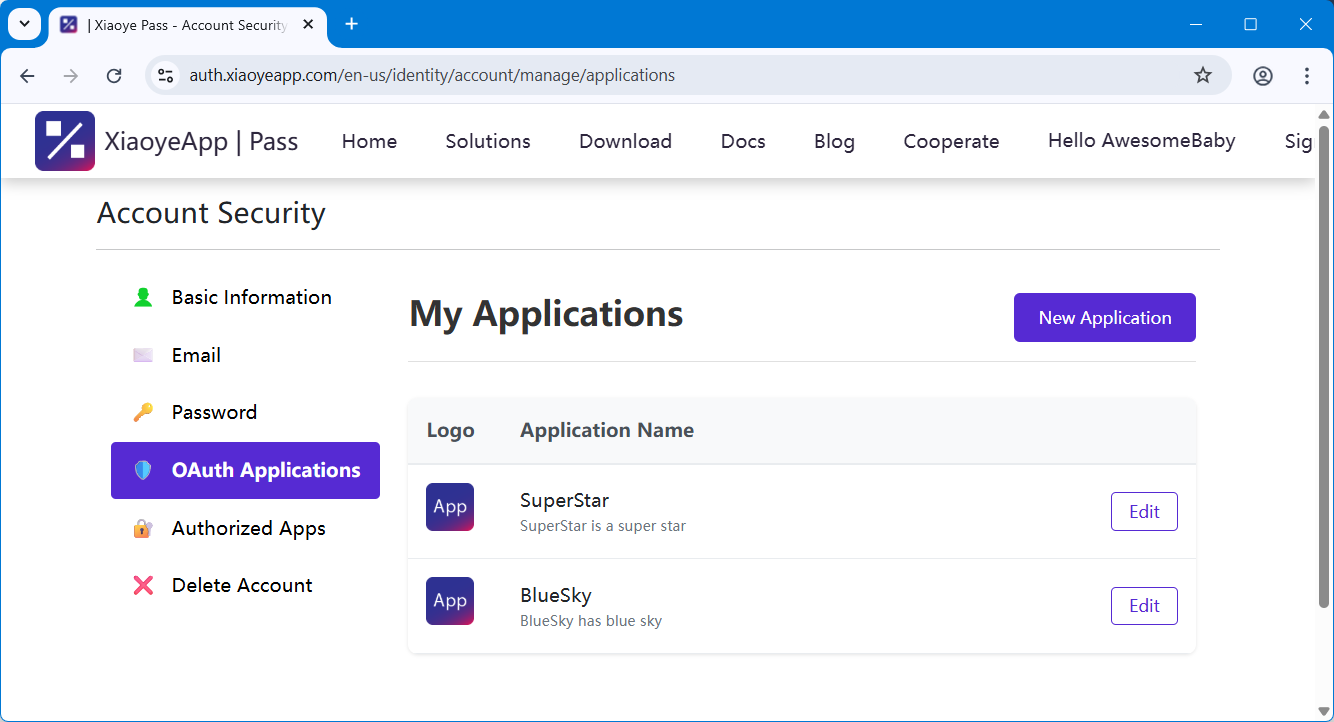
Now, this service is completely open to the public.
If you're also developing your own creations (websites, apps, scripts) and don't want to waste energy on repetitive logic like registration, login, password recovery, and email verification, you are welcome to integrate Xiaoye Pass:
-
Current Status: Developer registration for OAuth clients is now supported.
-
Advantages: Lighter, cleaner, and with a lower barrier to entry compared to big tech platforms.
-
Integration: Simply register directly in the "Developer Center" on the official website.
Let professionals handle the expertise. Leave authentication to Xiaoye Pass, and you focus on your core business.
About the Product
-
Official Website: https://xiaoyeapp.com
-
Status: Currently in its promotional phase. The Windows client is stable, software has been signed—please feel free to download.
-
Privacy: Core data is end-to-end encrypted. We do not touch your desktop data.
Fan Giveaway
We are very much looking forward to your feedback—whether it's about the UI design, connection success rate, or feature suggestions.
Please email us privately to discuss your usage scenarios and requirements, and you will receive a Xiaoye Remote membership!